Type, and it is done
Every action starts the same way on the Titan 2: type. Apps and people come up as you go, and a symbol first sends the line somewhere else.
The regular Titan 2 has the same square screen and full keyboard as the Elite, and Keyboard Launcher Pro runs on it exactly the same way. Owners tell me it is the reason they reach for the Titan first.

The Titan 2 is already a phone people choose to get away from endless scrolling. A minimalist launcher finishes the job: home shows your day in plain text, and apps only appear when you type their name. The Titan 2 on Unihertz's site.
There is nothing in Keyboard Launcher Pro that only works on the Elite. Both phones have a 1080 by 1200 screen and a four row keyboard, and that is all the launcher is drawn around.
What changes your day is how much stops needing a tap. A text to your partner, a reminder for the bins, a dentist appointment and a ten minute timer are each one line typed from the home screen.
Buyers on the regular Titan 2 were among the first to write in, and several of the features in it came from them.
Every action starts the same way on the Titan 2: type. Apps and people come up as you go, and a symbol first sends the line somewhere else.
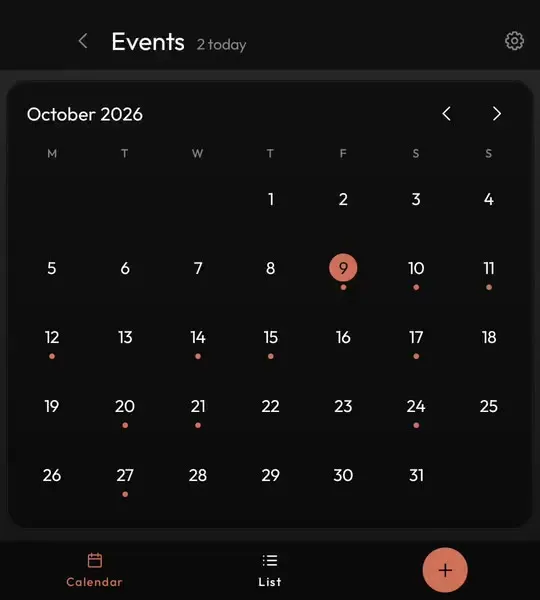
A month view that fits the screen, a list for the week ahead, and * to add to it from anywhere on home.
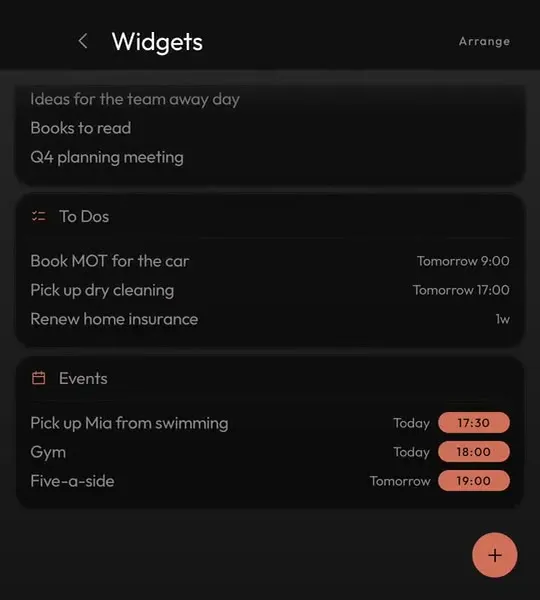
Keep home for typing and put your widgets on their own page, one swipe right.
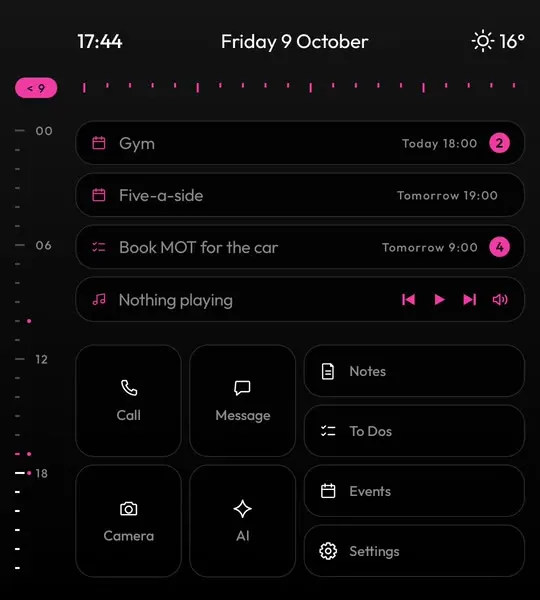
Pick an accent, a typeface and a background, and the Titan 2 looks like your phone rather than a stock one.
Each one sends a typed line somewhere different. The full list, with examples.
@sarah running ten late#mum*dentist fri 9am-buy milk tomorrow!ring the vet on tuesday:7am+45m?why is the sky blue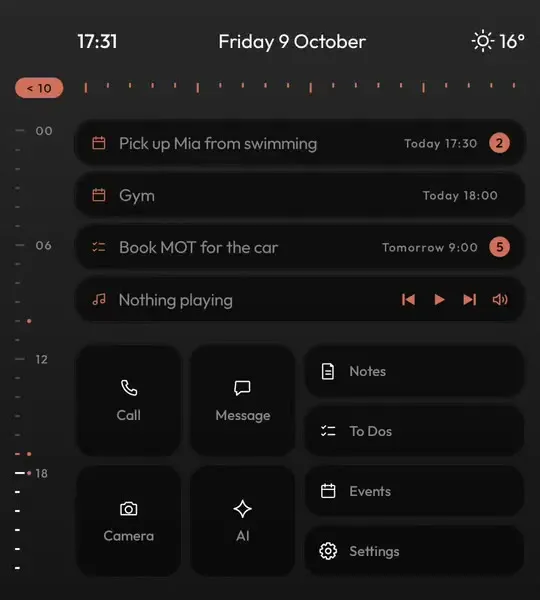

One purchase on Google Play covers your Titan 2 and any other phone on the same account.
Yes, the same app and the same price. It is built on an Elite, and buyers with the regular Titan 2 report it runs just as well.
No. Install it from Google Play, press home, choose Keyboard Launcher Pro and setup walks you through the rest.
Only what you agree to in setup. If you go back to your old launcher, everything is as you left it.
Make a backup in Keyboard Launcher Pro on the old phone and restore it on the new one. It is one encrypted file that you keep.