A home screen that fits the square
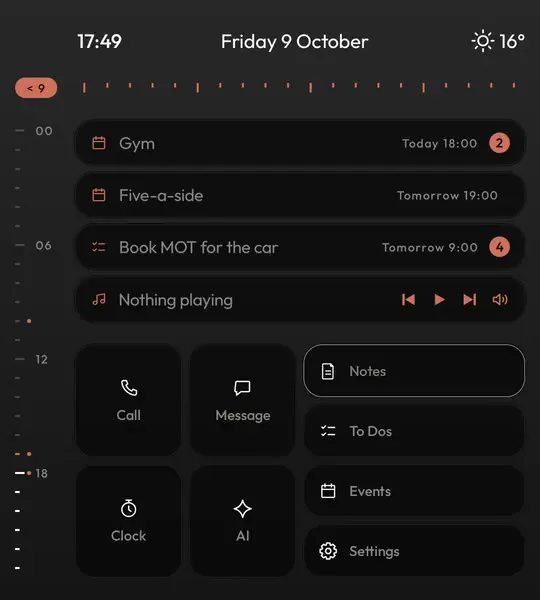
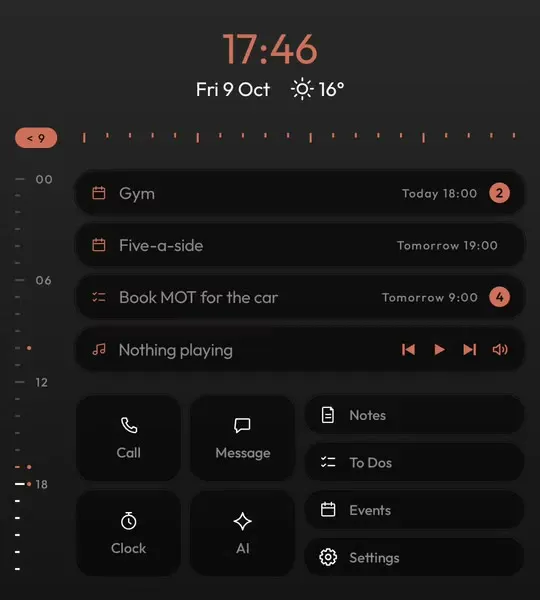
Clock, date and weather across the top, your day as an hour bar, the next event and to-do, what is playing and your tiles, all in 1080 by 1200 without a scroll.
Keyboard Launcher Pro is designed and tested on the Unihertz Titan 2 Elite every day. It is laid out for its square screen, it uses all of its keyboard, and it leaves nothing wasted beside the camera.

A minimal launcher makes the most sense on a phone like the Elite. Its 4 inch square screen has no room to waste on a wall of icons, and it has a keyboard that can reach any app faster than a finger can find one. Unihertz's own page for the Elite has the full specification.
The Elite gives you a square 1080 by 1200 screen and a keyboard that is genuinely good to type on. Most launchers ignore both: they were drawn for tall glass, so they squash a grid of icons into the square and leave the keys for text boxes.
Keyboard Launcher Pro starts from the other end. The home screen is a command line, so the keys are the fastest way to do anything, and every screen is drawn to fill the square. The clock, date and weather sit in the band beside the camera that other launchers leave black.
It also works around the Elite's own quirks. Setup checks the phone's letter shortcuts are off, key by key, so typing from home reaches the launcher, and it copes with SwiftKey, Pastiera and the stock keyboard.
Clock, date and weather across the top, your day as an hour bar, the next event and to-do, what is playing and your tiles, all in 1080 by 1200 without a scroll.
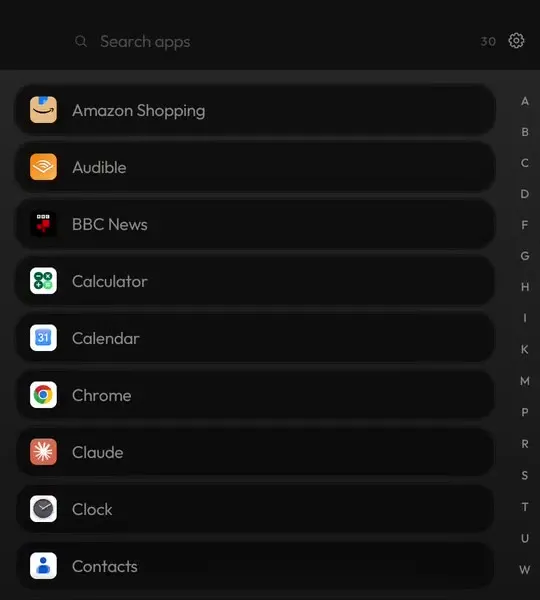
On the Elite you never need to reach for the screen to open something. Type sp and Spotify is the top match. Type @ and a name to message someone on the app you choose.
Switch on the cursor and the Elite's arrow keys, or a swipe across the keyboard, walk every screen. Enter opens it.
Everything lands in the Hub, one swipe from home, sorted and searchable. Tap a chat to read the conversation and reply.
Each one sends a typed line somewhere different. The full list, with examples.
@sarah running ten late#mum*dentist fri 9am-buy milk tomorrow!ring the vet on tuesday:7am+45m?why is the sky blue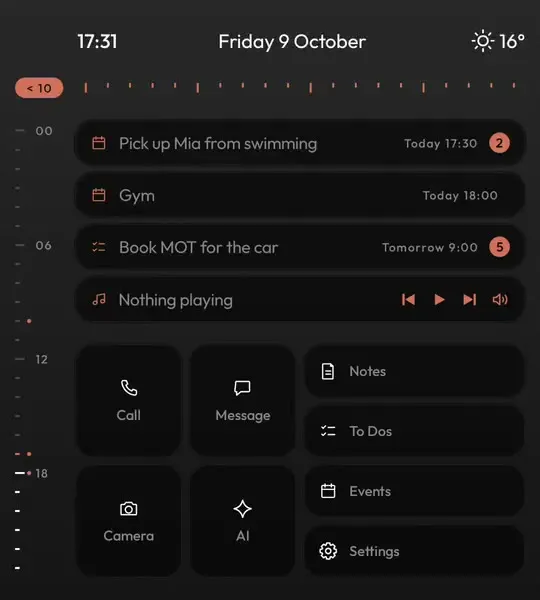

The launcher I use on my own Elite. On Google Play, pay once and every update is free.
Yes. It is built on one and used on one every day, so the Elite is where every change is checked first.
Setup checks them for you. The phone's own letter shortcuts need to be off so your typing reaches the launcher, and the setup screen tests every key and shows you where the setting is.
Any of them. It is tested with the stock keyboard, SwiftKey, Gboard and Pastiera. Turn on Compose with your keyboard in settings if you want your keyboard's suggestions while typing from home.
Yes. It needs the optional accessibility access, and since 1.11 it stays switched on even when the phone closes the launcher in the background.