Touchscreen phonesGot a keyboard phone? >
>_ No keys needed
The minimal launcher for phones with no keys.
Keyboard Launcher Pro began on keyboard phones, but nothing in it needs one. On an ordinary touchscreen phone,
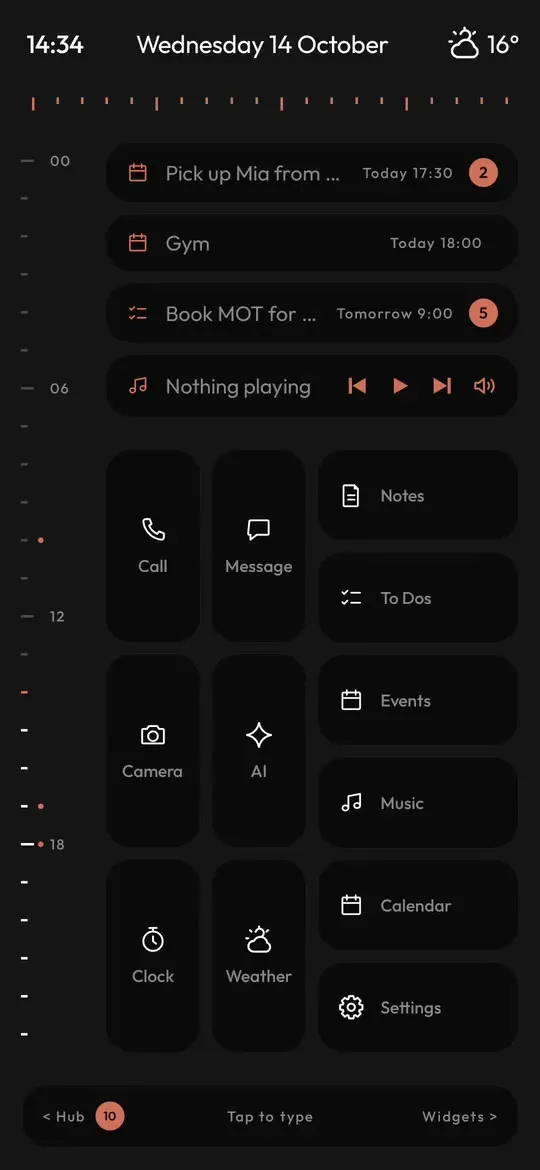
home is a calm screen of grey text with a bar along the bottom that says Tap to type. Tap it and your on-screen keyboard comes
up with the command line ready.
*dentist fri 9am
>_ Eight symbols, the same as on keys
Type one line, skip the app
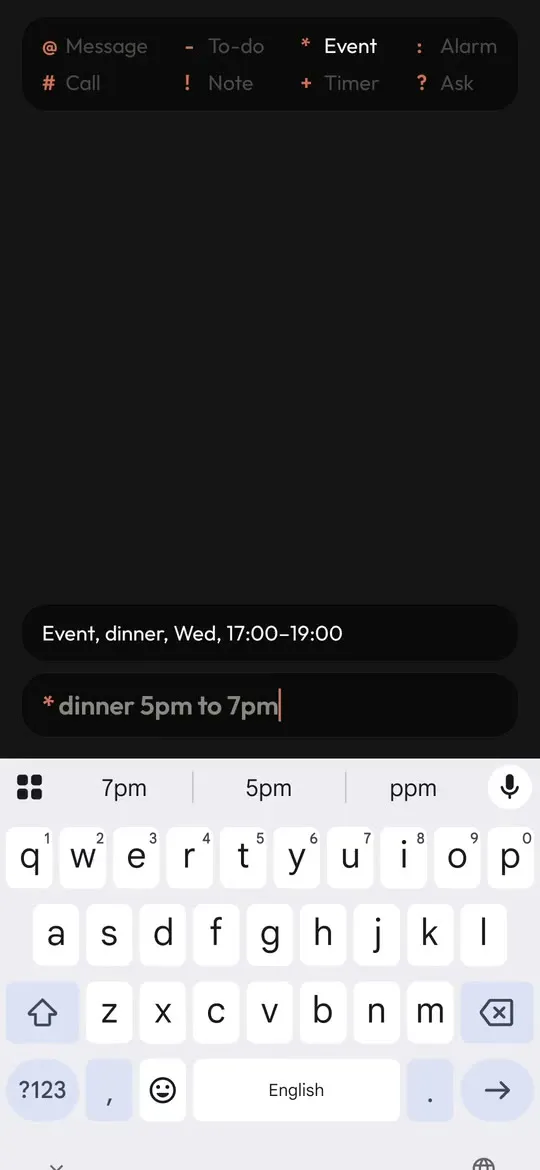
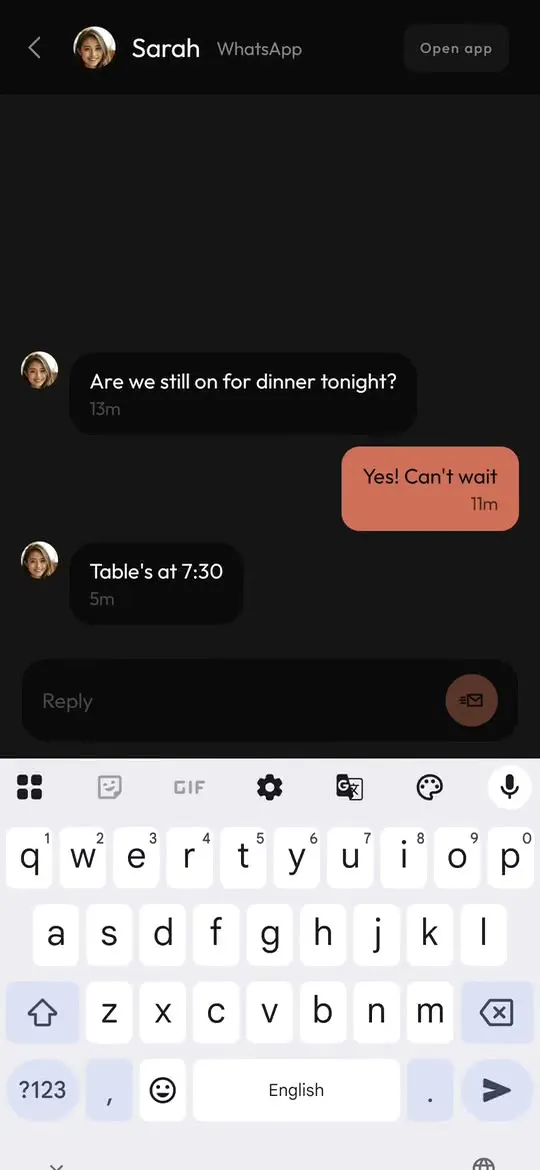
Start with a symbol and the line goes where it belongs. *dinner 5pm to 7pm becomes an event in your calendar, and
@sarah lets you pick her and write the message. Every command, with examples.
@
Message
@sarah running ten late!
Note
!ring the vet on tuesday
>_ A keyboard launcher without the keyboard
Why the name still fits
The name comes from where it started, on the Unihertz Titan 2 Elite and other phones with real keys. The idea behind it works
just as well on glass: typing a few letters is quicker than hunting through pages of icons for the one you want.
So on a touchscreen phone the launcher keeps the idea and changes the way in. Instead of typing straight onto home, you tap
the bar at the bottom and type on the keyboard you already use. After that it is the same app, the same commands and the same
quiet screen.
Got a phone with keys as well? The keyboard phone page shows it on the Titan 2 Elite, the Clicks
Communicator and the Zinwa Q25.
Tap to type, then just type
Tap the bar on home and start a name. Apps, people and a web search all come up in the one list as you type, so you are never scrolling pages of icons to find the thing you meant.
Put a symbol first and that same bar makes an event, a note, a to-do, a timer or an alarm instead.
- Apps, people and the web in one list
- Eight symbols for messages, calls and plans
- Your own on-screen keyboard
The Hub, for every message
The Hub brings your messages, email and notifications onto one screen, and you can reply from the Hub itself without opening the app each one came from.
Emails from one person are gathered into a single thread, so a back and forth reads as a conversation rather than a pile.
- Messages, email and notifications together
- Replies without leaving the Hub
- One thread per person for email
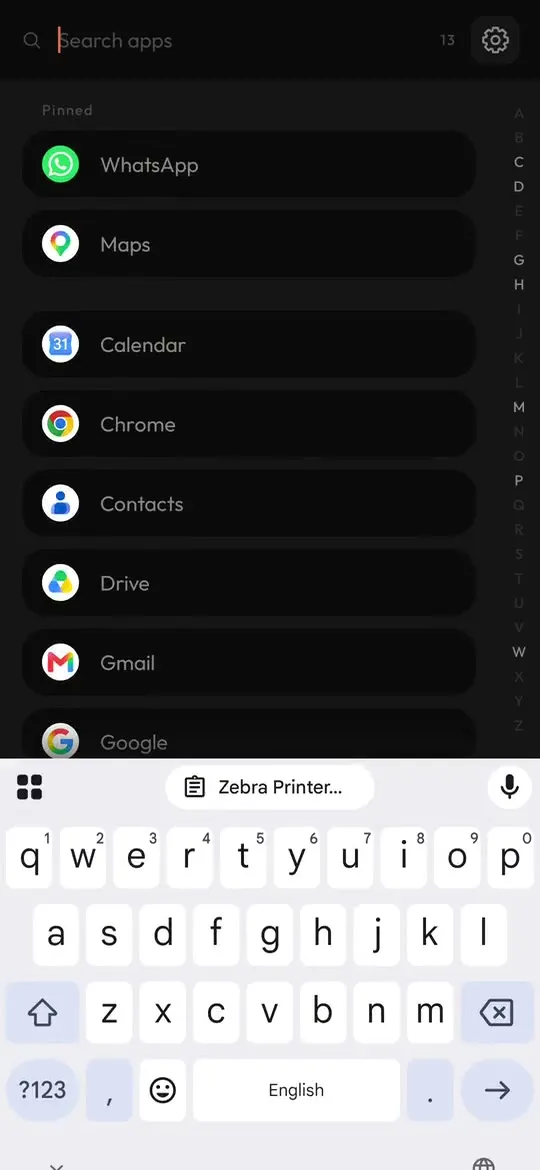
An app list with the keyboard already up
In the app list settings, switch on Open keyboard with app list. From then on the keyboard is waiting the moment the list opens, so you can type a name straight away.
It is a setting made for phones without keys, since on a keyboard phone the keys are always there anyway. Hold any app in the list for its own shortcuts, or to pin it to the top.
- Open keyboard with app list
- Hold an app for its shortcuts
- Pin to top
Twelve tiles on a tall screen
Tall phones get twelve tiles on home, so the apps you open every day sit under your thumb without a grid of icons behind them.
Hold a tile to change what it opens, or to reach the shortcuts the app offers. Hold an app in the list and you can pin it to the top.
- Twelve tiles on tall phones
- Hold a tile to edit it
- No grid of icons
Notes, to-dos and a calendar built in
Events lays your plans out as a month you can look across, and the week can start on Sunday if that is how you read a calendar.
Notes, to-dos and widgets are part of the launcher too, so the day's plans live on your home screen instead of in five different apps.
- A month view
- Weeks that can start on Sunday
- Notes, to-dos and widgets
Light, dark or whatever your phone is using
Pick a light or a dark theme, Flat among them, or turn on Follow phone theme and the launcher changes over whenever the rest
of your phone does. Either way, home stays grey text with a single accent for the thing that matters right now.
>_ Private by default
Nothing to sign in to, nothing sent away
No account
Install it, choose it as home, and that is all.
No ads
Not a banner, not a sponsored tile, not ever.
No tracking
There are no analytics in the app.
On the phone
Notes, contacts and calendars stay where they are. Only the weather is fetched.
One payment
Bought once on Google Play, updates included.
No texts or call log
The Hub is built from notifications, so it never asks for either.

Get it for your touchscreen phone
One purchase on Google Play, with updates included and no account to make.
Questions
Do I need a phone with a keyboard?
No. On a touchscreen phone you tap the Tap to type bar at the bottom of home and use your on-screen keyboard. The rest works the same as it does on a phone with keys.
Why is it called Keyboard Launcher Pro, then?
It started life on keyboard phones like the Unihertz Titan 2 Elite, and typing is still how you drive it. On a touchscreen phone the keyboard is simply the one on the screen. The keyboard phone page shows it on real keys.
Do the symbols work on an on-screen keyboard?
Yes, all eight. Start the line with @, #, *, -, !, :, + or ? exactly as you would on real keys. Every command is listed with an example.
How many tiles do I get on home?
Twelve on a tall phone. Hold any of them to change what it opens, or for the shortcuts that app offers.
Is there a subscription or an account?
Neither. It is one purchase on Google Play with free updates, and there is nothing to sign up for or sign in to.
Does it send my data anywhere?
No. Your contacts, calendars and notifications are read on the phone and kept there. The weather is the only thing it fetches from the internet, and the privacy policy sets it all out.
Can I go back to my old launcher?
Any time. Press home, pick the launcher you had before and your phone is just as you left it.