Every command, on one page.
On the home screen, whatever you type searches apps and people. Start the line with one of these eight symbols and it does something else instead. Press Enter to send it.
The eight symbols
| Symbol | Example | What happens |
|---|---|---|
| @ Message | @sarah running ten late | Picks the person, then the app you message them on. |
| # Call | #mum | Rings them, choosing between their numbers if they have more than one. |
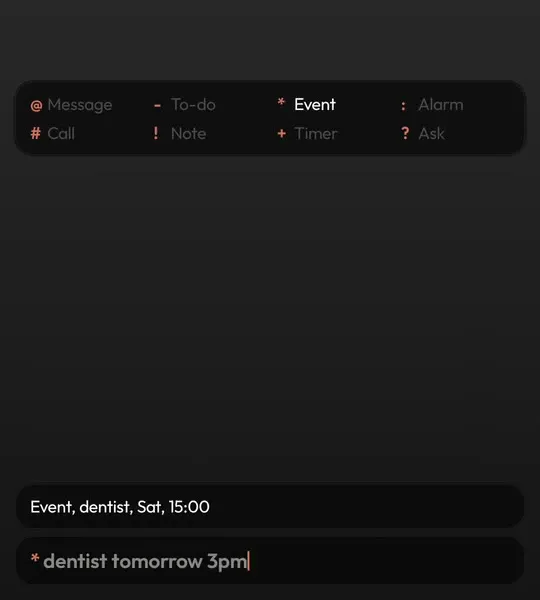
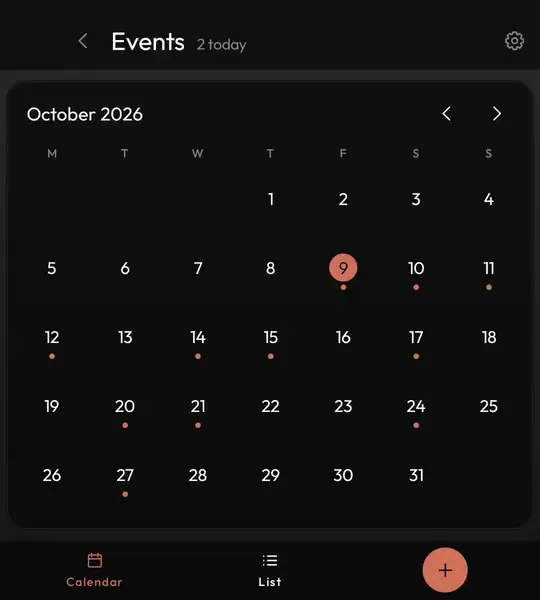
| * Event | *dentist fri 9am | Lands in your real calendar, read in your own language. |
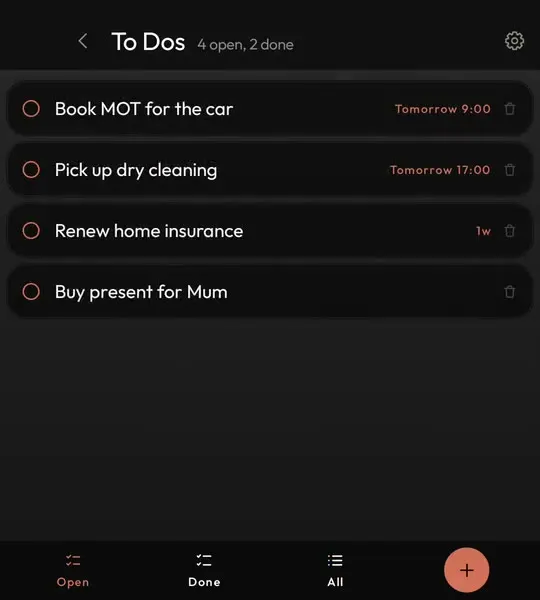
| - To-do | -buy milk tomorrow | Goes on your to-do list with the time set. |
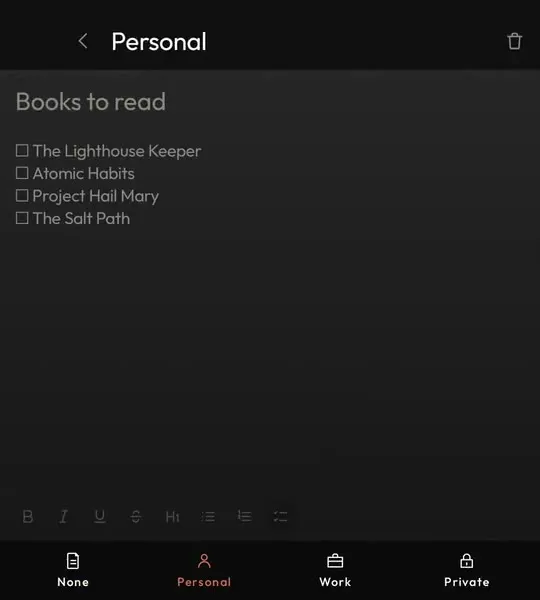
| ! Note | !ring the vet on tuesday | A note, saved before you have finished thinking it. |
| : Alarm | :7am | Sets an alarm in the clock app you already use. |
| + Timer | +45m | Starts a timer. +10 is ten minutes, +1h30 is ninety. |
| ? Ask | ?why is the sky blue | Hands the question to the assistant you chose. |
Dates and times in a line
Events, to-dos and notes read a time from anywhere in the line and keep the rest as the title, so *lunch with Tom thursday 1pm
becomes Lunch with Tom on Thursday at one.
tomorrow,friday,fri: the next one coming3pm,15:00,9a: a time on that day13/8: a date, in the order your country writes itin 20 minutes: from now+10,+45m,+1h30: timer lengths
Messages and calls
After @ or #, the people who match appear as you type. Pick one with the arrow keys or a tap and they
lock into the line. For a message, everything after the name is the message, and you choose which app sends it. Typing a
number instead of a name works too.
Asking with ?
A question after ? goes to the assistant app you chose in setup, such as Gemini, ChatGPT or Claude.
The commands in action

Try the commands yourself
Keyboard Launcher Pro is on Google Play. Pay once, free updates.

Questions
Can I change the symbols?
No. The eight symbols are fixed, so they work the same on every phone and in every language.
What date words does it understand?
Today, tomorrow, weekdays, times like 3pm, 15:00 or 9a, dates like 13/8, and phrases like in 20 minutes. Numeric dates follow your country, so 8/9 is 8 September in the UK and 9 August in the US.
Does it work in my language?
The date words are read in all thirteen languages the app is in. Japanese, Chinese and Korean dates like 9月12日 and 15時30分 work too, with or without spaces.
What if a symbol is in the middle of a line?
Only the first character counts. Anything else is typed as normal.