The Hub, back on a keyboard phone
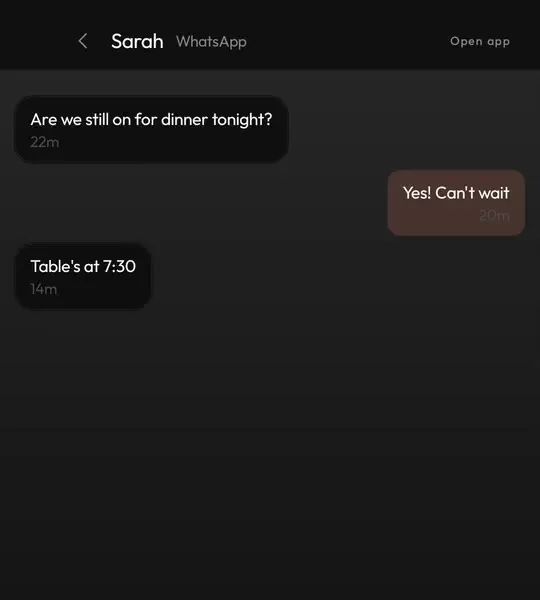
Every notification from every app on one screen, a swipe away from home. Tabs for Messages, Email and Social, and chats open as conversations you can answer.
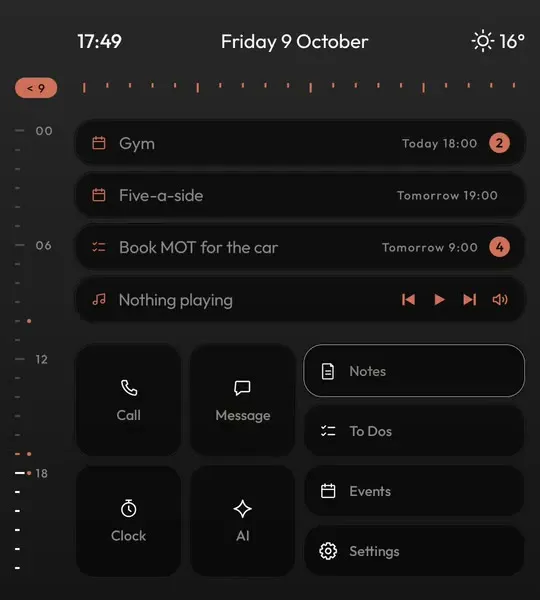
If you came from a BlackBerry, you remember typing on the home screen to find anything, and one Hub with every message in it. Keyboard Launcher Pro is built around those two ideas, on today's Android keyboard phones.
BlackBerry's best idea was that the keyboard was the interface. On a BlackBerry 10 you could start typing from the home screen and search everything, and the Hub put every message from every account in one list.
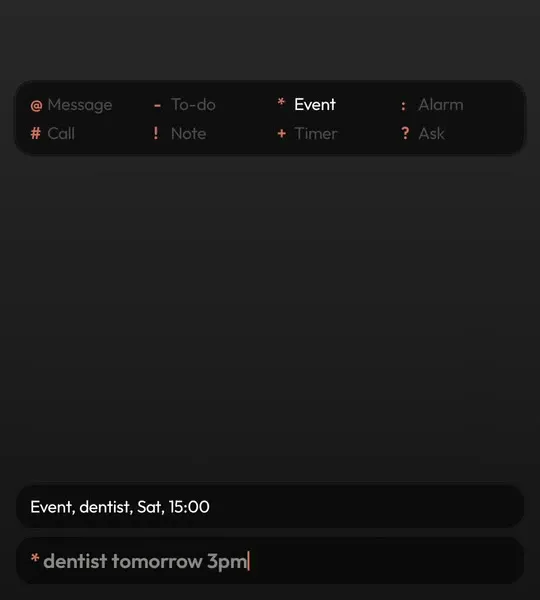
Android never had either. Keyboard Launcher Pro adds both: type from home to find apps and people, put a symbol first to act on what you typed, and swipe to the Hub for every notification in one place, sorted and searchable.
It is not a copy of BlackBerry and it is not made by or connected to BlackBerry. It is a launcher for the people who still want to work that way, on phones like the Unihertz Titan 2 Elite and the Zinwa Q25.
| What you get | In Keyboard Launcher Pro | How |
|---|---|---|
| Type on the home screen to search | Yes | Apps and people, as you type |
| Act on what you typed | Yes | Eight symbols: message, call, event, to-do, note, alarm, timer, ask |
| One inbox for every app | Yes | The Hub, with tabs, search and replies |
| Keyboard navigation | Yes | An arrow key cursor across every screen |
| Your own calendar and contacts | Yes | Read from the phone, nothing uploaded |
| BlackBerry services | No | No BlackBerry account, server or app is involved |
Every notification from every app on one screen, a swipe away from home. Tabs for Messages, Email and Social, and chats open as conversations you can answer.
Type on the home screen and it searches apps and contacts at once. It is the way BlackBerry 10 felt, on Android.
Arrow keys or a swipe across the keyboard move a cursor over everything. Your thumbs never need to leave the keys.

On Google Play. Pay once, free updates, no account.
No. Keyboard Launcher Pro is made by illuminati Apps and has nothing to do with BlackBerry. It brings a way of working BlackBerry users liked to Android keyboard phones.
No. It works from the notifications your apps already post, so it never signs in to anything.
Square screen keyboard phones such as the Unihertz Titan 2 Elite, the Titan 2 and the Zinwa Q25.